Work the leads that matter
A unified inbox that surfaces high-intent replies first. Stop scrolling through noise,start closing deals.
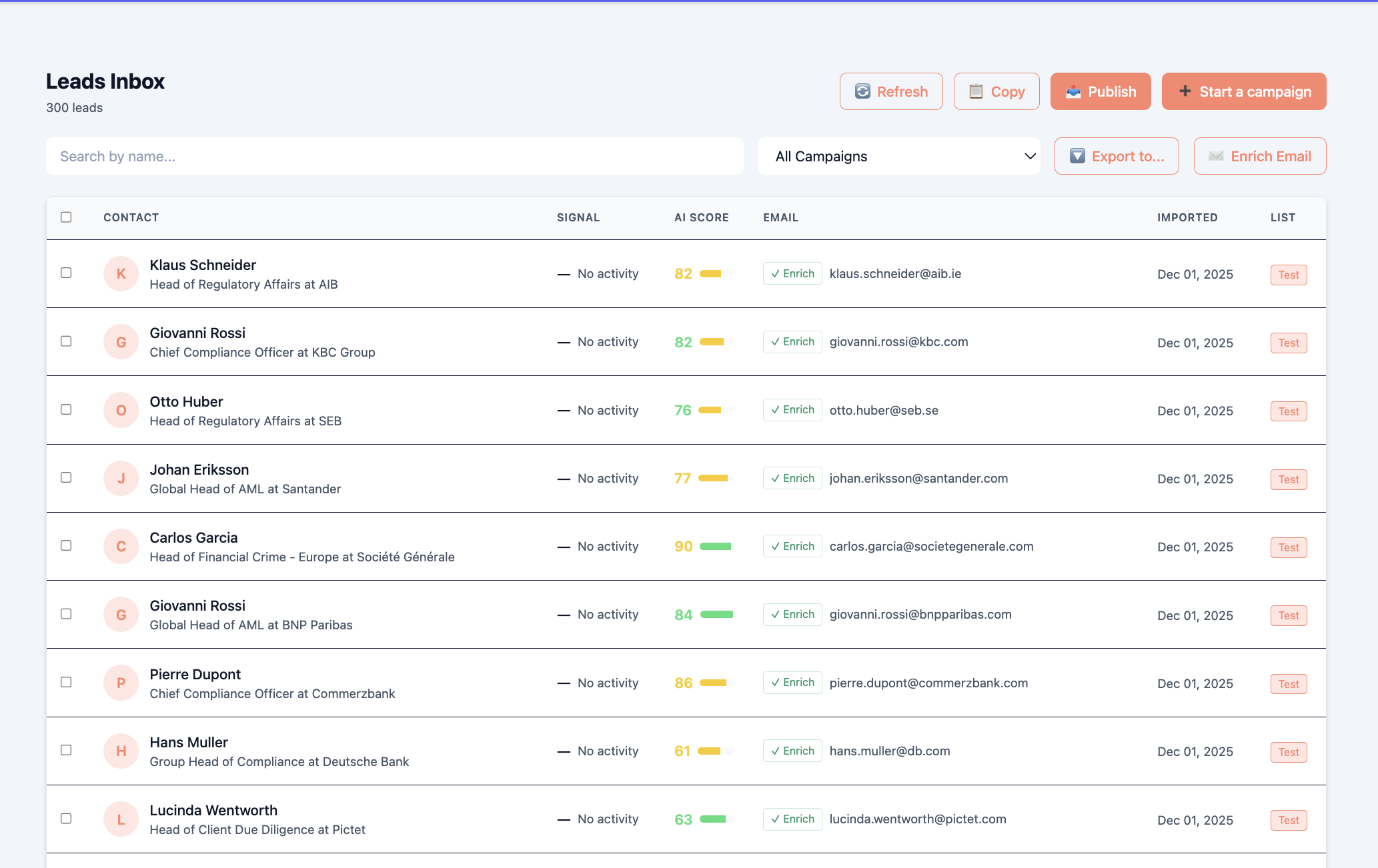
Your inbox is working against you
Hot leads buried under spam. No context on who's ready to buy. Hours wasted on low-priority replies.
- Switching between Gmail, LinkedIn, and CRM constantly
- Missing hot replies buried in threads
- No context on who's actually ready to buy
- Writing the same replies over and over
- One inbox for all channels
- Tier 0,1 leads always at the top
- Intent signals visible alongside messages
- AI replies that match your voice
How Priority Inbox works
Three steps to faster replies and more meetings.
Connect channels
Link your email accounts and LinkedIn for unified messaging.
Auto-prioritize
Leads sorted by intent tier - hottest at the top, always.
Review & reply
See context and AI suggestions. Respond in seconds.
Most inbox tools sort by time.
Priority Inbox sorts by buying intent,so you always work the leads most likely to close.
From reply to meeting, faster
Everything designed to get you from inbox to booked call in record time.
Instant Prioritization
Hot leads surface automatically. Never miss a Tier 0 reply because it was buried under spam.
Full Context
Company info, recent news, buying signals,all visible without leaving the conversation.
One,Click Replies
AI suggestions based on persona and context. Personalized responses in seconds, not minutes.
Built for speed
Every feature designed to get you from reply to meeting faster.
Multi-channel unification
See email and LinkedIn messages in one view. No more switching between tabs.
Intent-based prioritization
Leads sorted by buying intent. Tier 0 at the top, always.
Smart reply suggestions
AI-generated responses based on persona and context. One click to send.
Activity timeline
See every touchpoint: opens, clicks, replies, LinkedIn views in one place.
Lead context cards
Company info, recent news, and buying signals right next to the conversation.
Snooze & follow-up
Set reminders for leads that need time. Never let a hot lead go cold.
Stop drowning in your inbox
See how Priority Inbox puts your hottest leads front and center.
Book a demo